Camera prompter
Record with your script
right under the lens
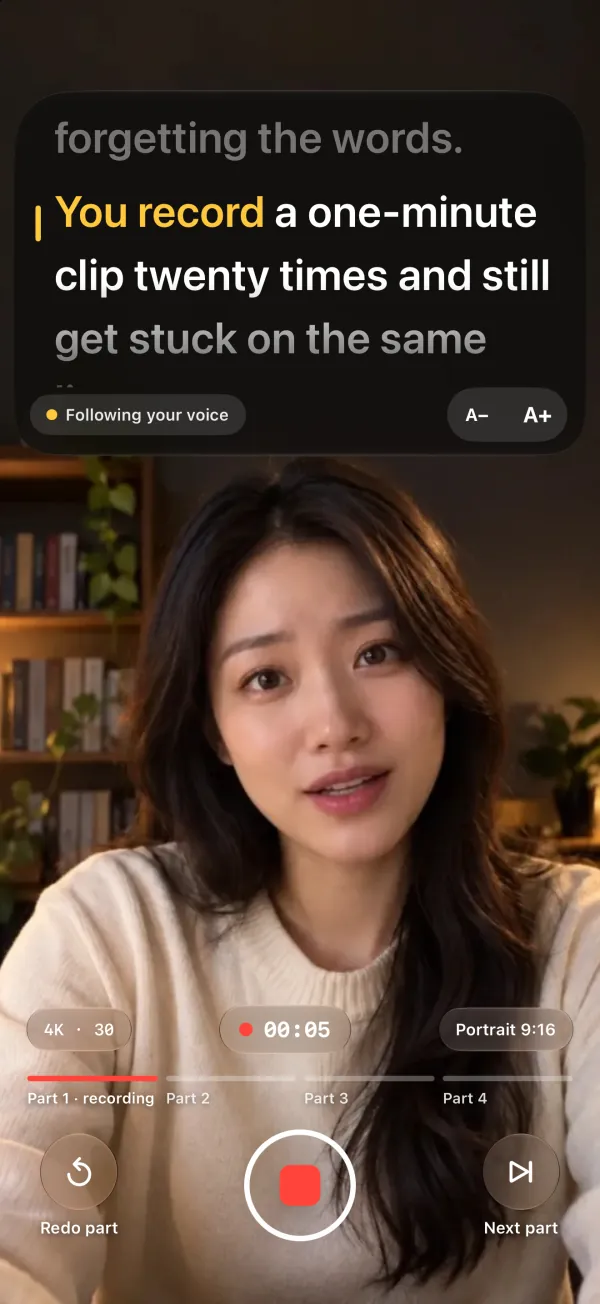
No Retakes is an iPhone teleprompter with the camera built in. Your script sits right under the front camera, so your eyes stay near the lens while you record in 4K. The script is split into parts, and if you stumble, you redo only that part.
- Script right under the front camera
- Records 4K at 30 fps
- Redo one part, not the whole take
Updated
How it works
From script to finished video
- Add your scriptType it, paste it, or import a text file (.txt, .rtf or .md). Blank lines split it into parts.
- Choose how it scrollsVoice follow moves with your voice; auto scroll runs at a speed you set. Text size, color and countdown are set once.
- Record part by partTap Next part to move on. If you stumble, Redo part records that part again and keeps the rest.
- Captions, then exportWhen you stop, the parts are joined into one video and captions are made from your script. Save to Photos in 4K or 1080p.
The camera prompter records in portrait (9:16) with the front camera. Voice follow is free here. The first time you use it in a language, iOS downloads Apple's speech model, which needs an internet connection.
Compared
Versus reading notes beside the camera
Reading from a laptop or a sheet of paper next to the camera works, but it shows in your eyes.
| No Retakes | Notes beside the camera | |
|---|---|---|
| Where you look | Just below the lens | Off to the side |
| Keeping your place | Scrolls as you speak | You find the line yourself |
| After a stumble | Redo only that part | Often start the take over |
| Captions | Made from your script when you stop | Typed or corrected in an editor |
Prompter settings
Set it up once
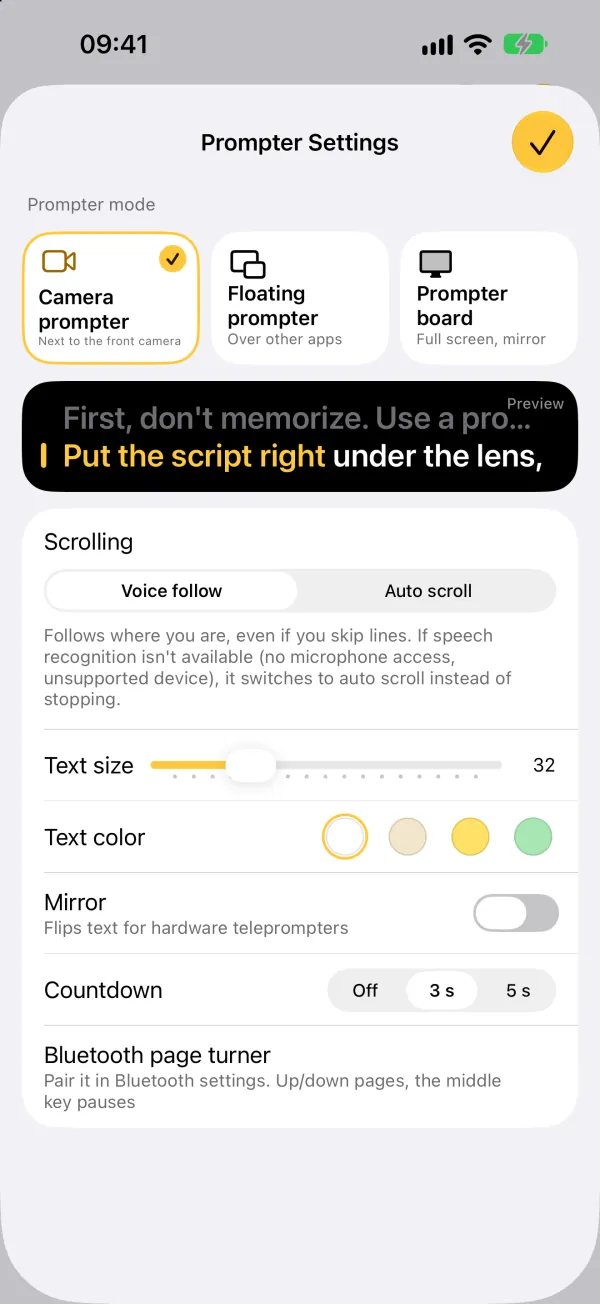
- Text size, plus four text colors: white, warm white, yellow and light green
- Voice follow, or auto scroll at the speed you choose
- A countdown before recording: off, 3 or 5 seconds
- The same settings carry over to the floating prompter and the prompter board
Good for
Anything you say to camera
Short-form video
Talking-head clips in portrait 9:16, with your eyes on the lens.
Product demos
Get every feature name and number right without memorizing them.
Online courses
Record a lesson in parts and redo only the section you tripped over.
Team updates
Say exactly what was agreed, word for word.
Video applications
Self-introductions and audition tapes that sound natural, not recited.
Speaking another language
Scripts in nine languages, read at your own pace.
FAQ
Common questions
Does it record with the front or the back camera?
The front camera, so your script can sit right under the lens while you look into it. To film with another camera app, use the floating prompter: Picture in Picture keeps your script on top of other apps.
Can I record in landscape?
The camera prompter records in portrait (9:16). For landscape setups, such as an iPhone in a hardware teleprompter, use the prompter board: large landscape text with a mirror option.
What quality does it record in?
4K at 30 fps when your iPhone's front camera supports it, otherwise 1080p. When you export, you choose 4K or 1080p, and the video is saved to Photos.
Is it free?
The camera prompter, voice follow and unlimited captions are free. Free exports have a small watermark, with two caption styles to choose from. Lifetime, a one-time purchase ($9.99 in the US), removes the watermark and unlocks all 12 styles, SRT export, edit by text and voice follow in the floating prompter.

Script under the lens,
captions from your script
Captions are free and unlimited. Lifetime is a one-time purchase ($9.99 in the US), not a subscription.
Search for “Teleprompter · No Retakes” on the App Store, or tap the button below. The free version never expires.
Download on the App Store Questions? Email us