Voice follow
A teleprompter that
scrolls as you speak
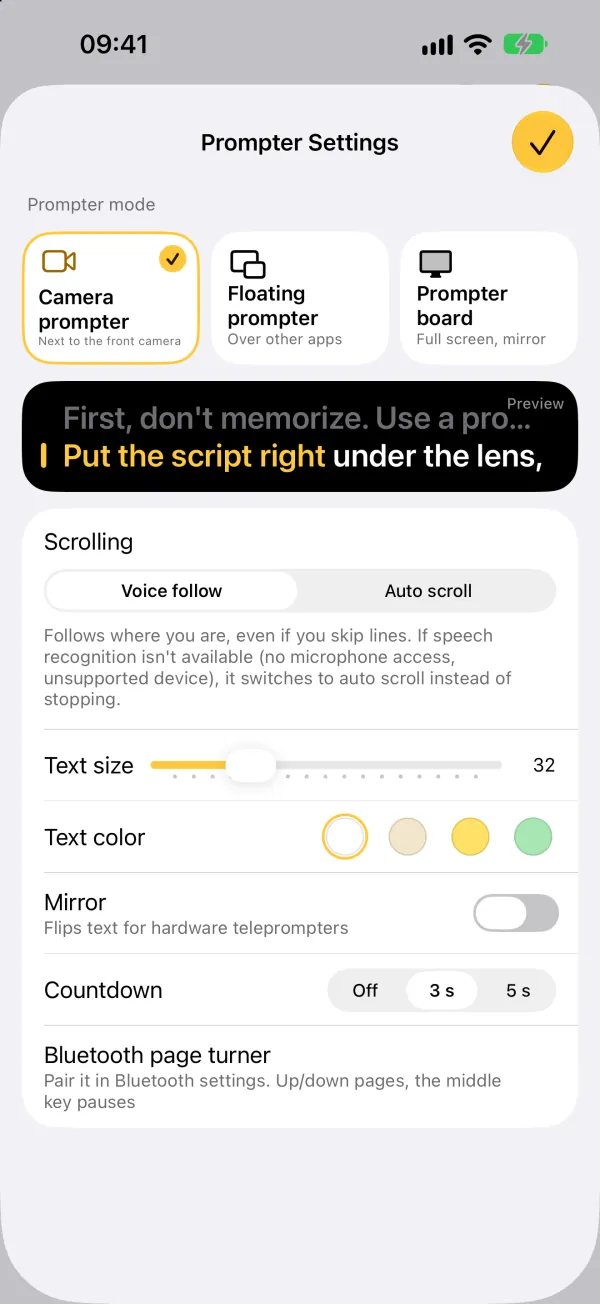
With voice follow, No Retakes listens as you read and moves the script along with you. Speed up and it keeps up; stop to think and it waits; skip a sentence and it jumps to where you are. Speech recognition runs on your iPhone.
- Keeps up with pauses and skips
- Recognition runs on your iPhone
- Works in nine languages
Updated
How it works
What voice follow does
- ListensThe microphone picks up your voice. Apple's speech recognition runs on the iPhone itself, so your voice isn't uploaded.
- Finds your placeWhat you say is matched against your script, so it knows where you are, even after a skipped or repeated sentence.
- Moves with youThe words you've read light up and the script moves on. Stop talking and it stops.
- Never stallsIf recognition isn't available (no microphone access, or a device or language that isn't supported), it switches to auto scroll instead of stopping.
The first time you use voice follow in a language, iOS downloads Apple's speech model for it, which needs an internet connection. After that, voice follow works offline.
Compared
Voice follow vs. fixed-speed scrolling
No Retakes has both. Auto scroll is there when you want a steady pace, and it's what voice follow falls back to.
| Voice follow | Fixed-speed scrolling | |
|---|---|---|
| Speed | Matches you as you speed up or slow down | Set in advance; you keep up with it |
| Pausing to think | Waits for you | Keeps going unless someone pauses it |
| Skipping or repeating a line | Jumps to where you are | Doesn't notice |
| Who controls it | Your voice | A speed setting, a remote or a helper |
Where it works
Voice follow in all three prompters
Camera prompter
Record with the front camera while the script follows you. Free.
Prompter board
Large landscape text, mirror mode for hardware teleprompters, and Bluetooth page turner support. Free.
Floating prompter
Picture in Picture keeps the script on top of a live-streaming app. Voice follow here needs Lifetime; auto scroll is free.
Nine languages
English, Spanish, Portuguese, French, German, Italian, Japanese, Korean and Chinese. It listens in the language of your script.
Start from any line
Before you start recording, tap any line to begin there.
Works offline
Once the speech model is on your iPhone, no connection is needed.
While you record
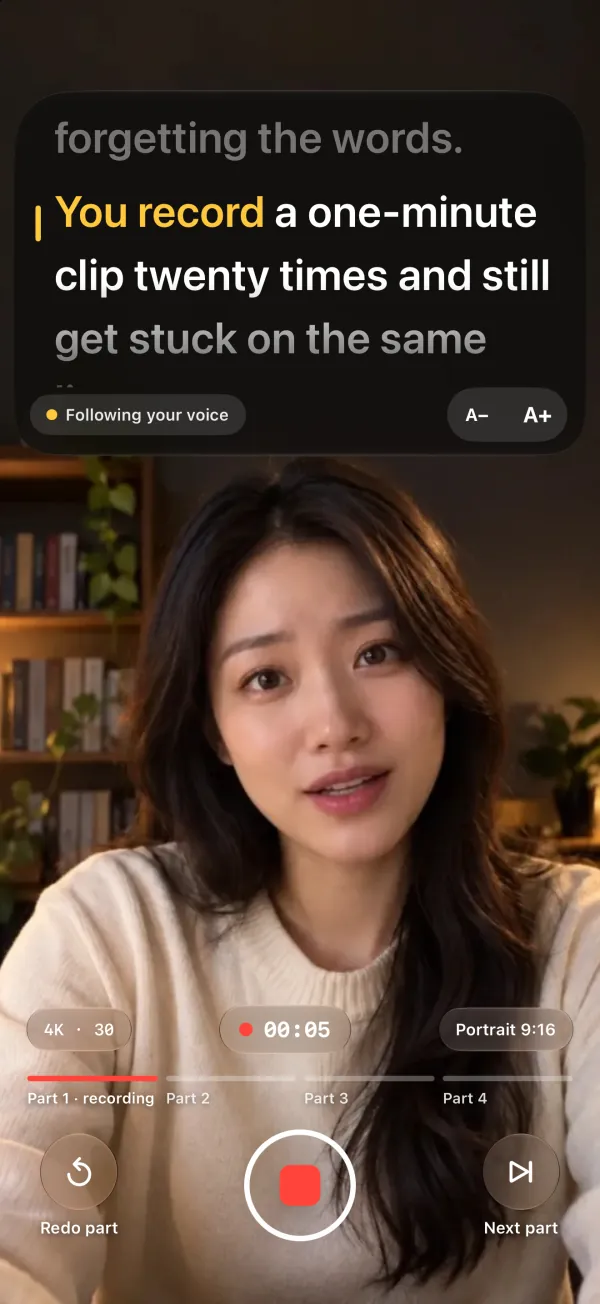
Your place, always in view
- The words you've read light up as you go
- “Following your voice” under the script shows voice follow is on
- A− and A+ change the text size mid-shot
- The bar at the bottom shows which parts are recorded and which is next
FAQ
Common questions
Does voice follow work offline?
Yes, once the speech model for your script's language is on your iPhone. iOS downloads it from Apple the first time, which needs an internet connection.
Which languages does it understand?
English, Spanish, Portuguese, French, German, Italian, Japanese, Korean and Chinese (Simplified and Traditional). It listens in the language your script is written in.
It jumped to the wrong place. What can I do?
Move closer to the iPhone and cut down background noise. If you misread, keep going and it will find you again. Before you start recording, you can also tap any line to start from there.
Is voice follow free?
Yes, in the camera prompter and the prompter board. In the floating prompter, voice follow needs Lifetime, a one-time purchase ($9.99 in the US); auto scroll there is free.

Script under the lens,
captions from your script
Captions are free and unlimited. Lifetime is a one-time purchase ($9.99 in the US), not a subscription.
Search for “Teleprompter · No Retakes” on the App Store, or tap the button below. The free version never expires.
Download on the App Store Questions? Email us